 AI Voice Input & Speech Polishing
Say it raw. Send it polite.
Sayp transforms messy, unfiltered voice thoughts into clean, structured, business-ready text right where you type. Trigger with one tap via Action Button or Control Center — zero app switching, zero copy-pasting.
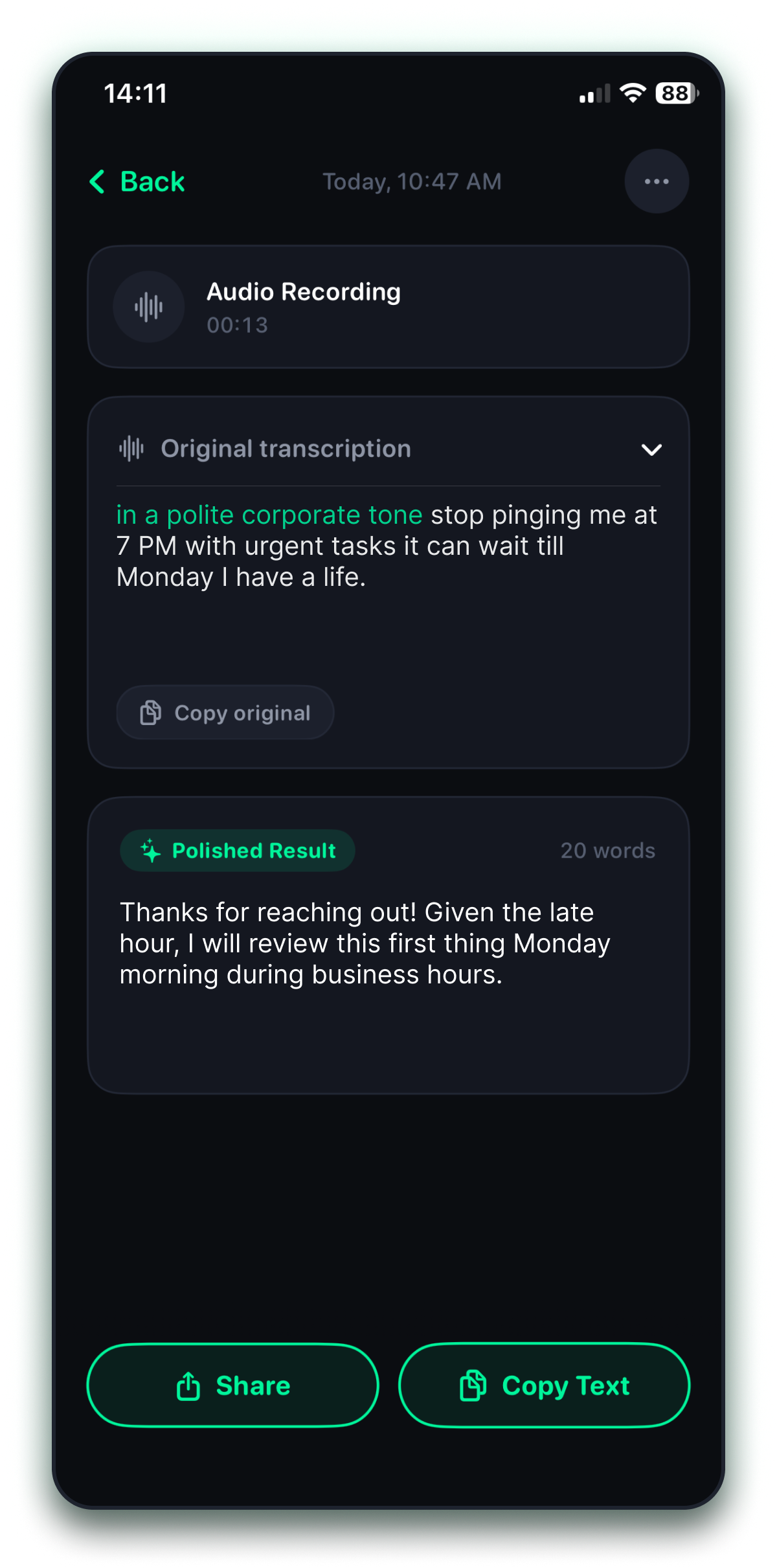
Give voice commands. Get tailored results.
Instruct Sayp on how to format your response with natural spoken cues. Whether you need executive diplomacy, structured to-dos, or informal chats, Sayp adapts instantly.
Why mobile typing slows you down: the friction trap.
Typing complex messages with your thumbs takes minutes and causes typos. Traditional voice memos leave you with minutes of messy audio and rambling sentences full of "um", "uh", and disjointed thoughts that you have to manually edit.
App Switching Friction
6-step switch & copy-paste
- High thumb fatigue • Slow (35–45 WPM)
- Literal transcription with "ums"
- Manual correction • Raw audio playback
- Permanent audio stored on server • Keyboard telemetry
150+ WPM clean text
zero app switching — dictate and paste where you type
- 1-Tap Action Button / Control Center
- Auto-strips filler words & noise
- All Voice Directives & tone transformations
- Instant translation in 50+ languages
- Zero audio storage & local App Group
Speaks Clean. Zero Clutter.
Experience how easily messy thoughts become ready-to-send messages.
Voice Directives & Tone
Direct your output with voice commands: tell Sayp to make it a polite corporate reply, concise bullets, or a quick informal message.
Sayp Instant Result in One Tap
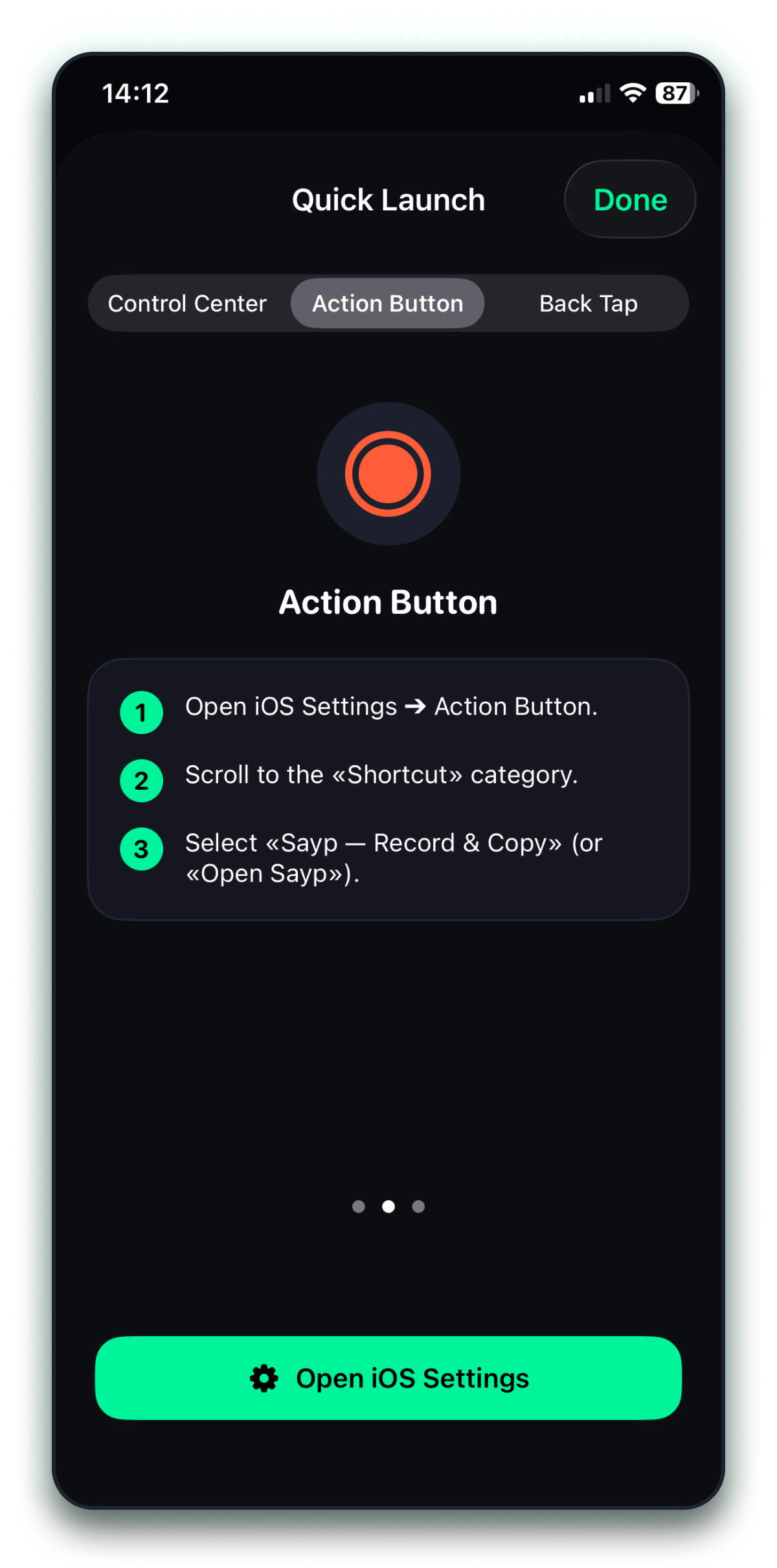
Trigger instant recording with a single press of the Action Button on iPhone 15 Pro, 16 and later, or from the Control Center shade while inside any app.
Instant Translation
Instant translation in 50+ languages
Real-Time AI Cleanup
Sayp instantly removes filler words ("um", "uh", "like"), fixes punctuation, corrects mispronunciations, and formats clean text.
No Account Required
100% Private local-first storage
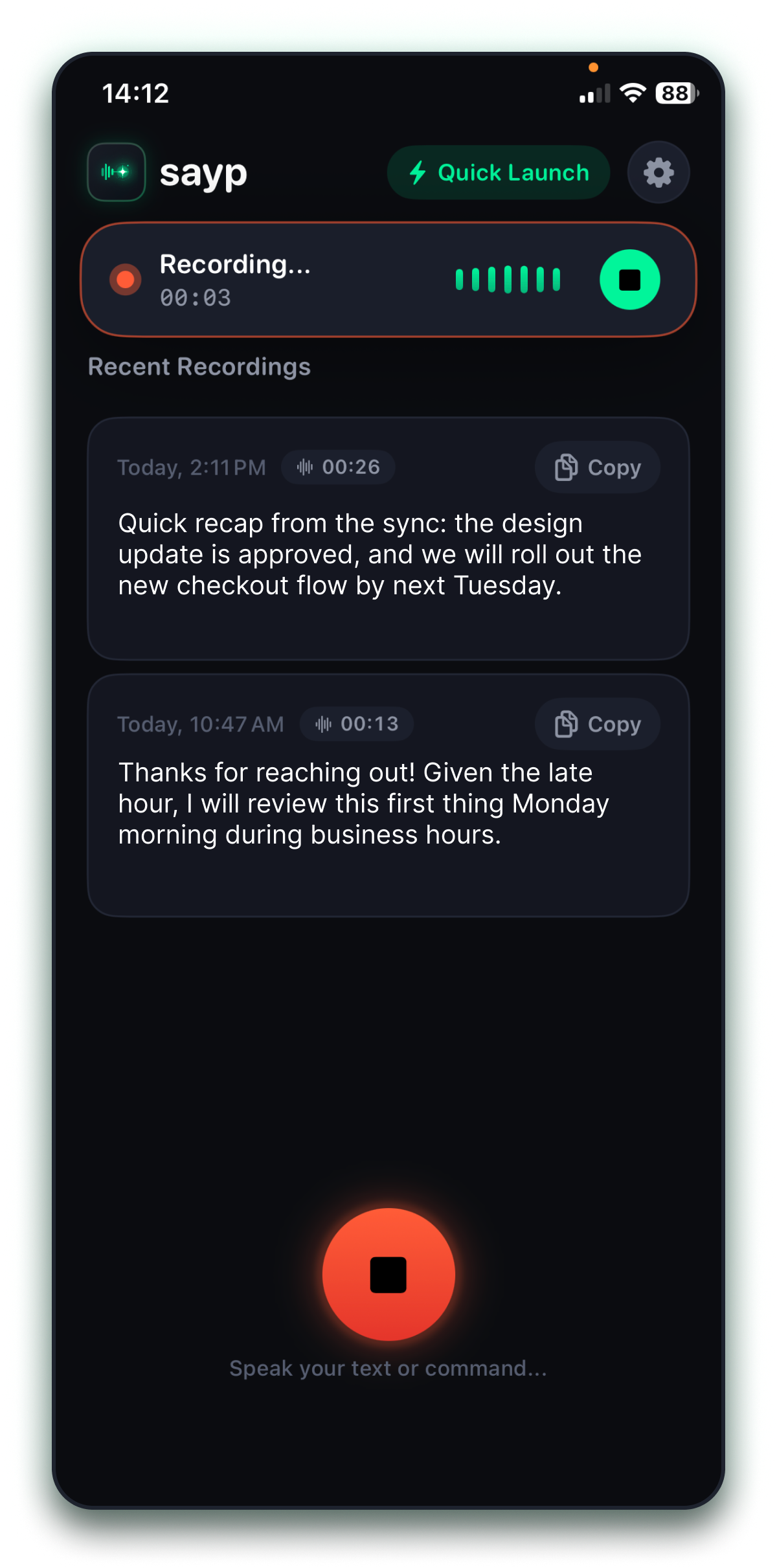
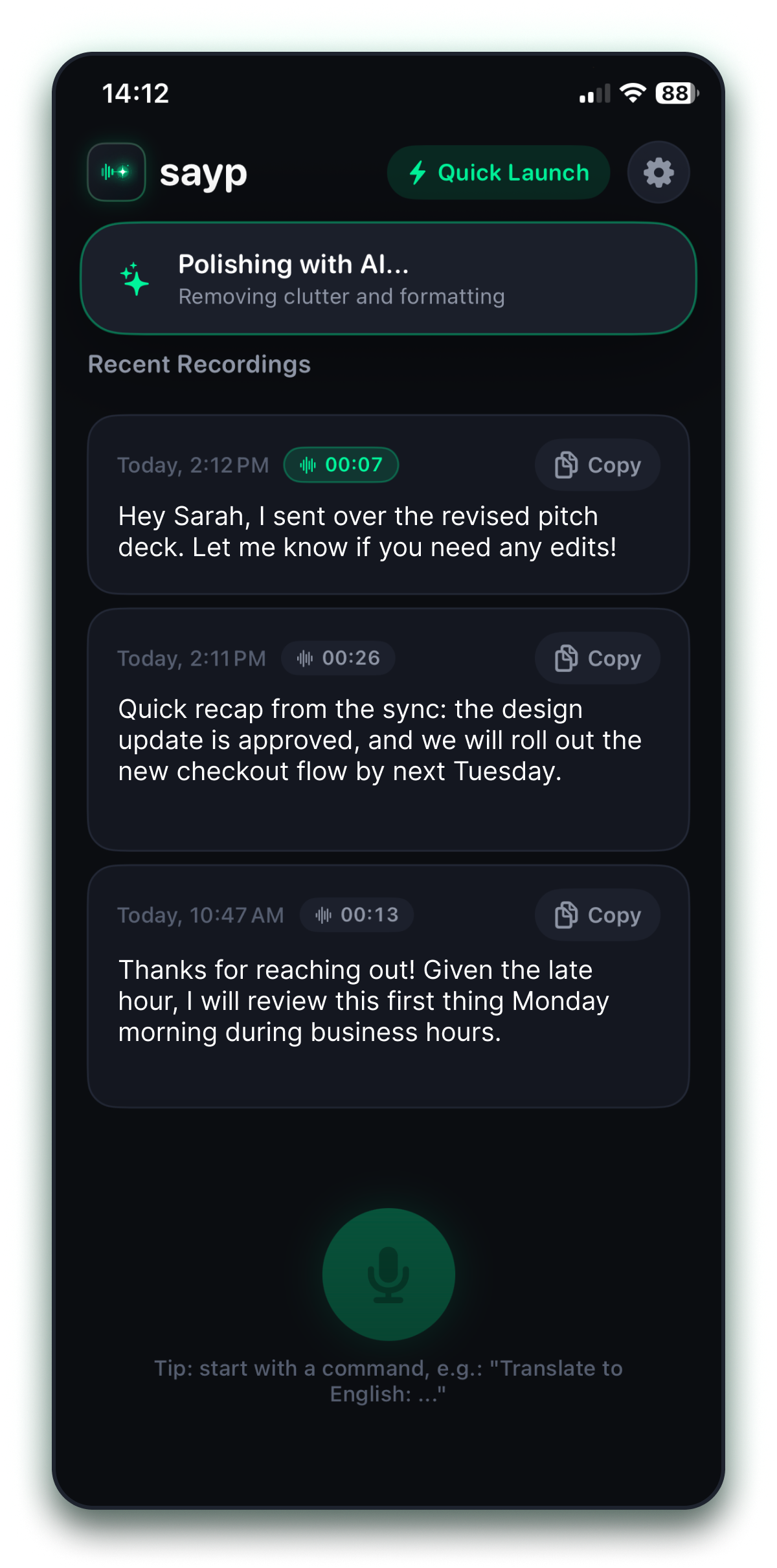
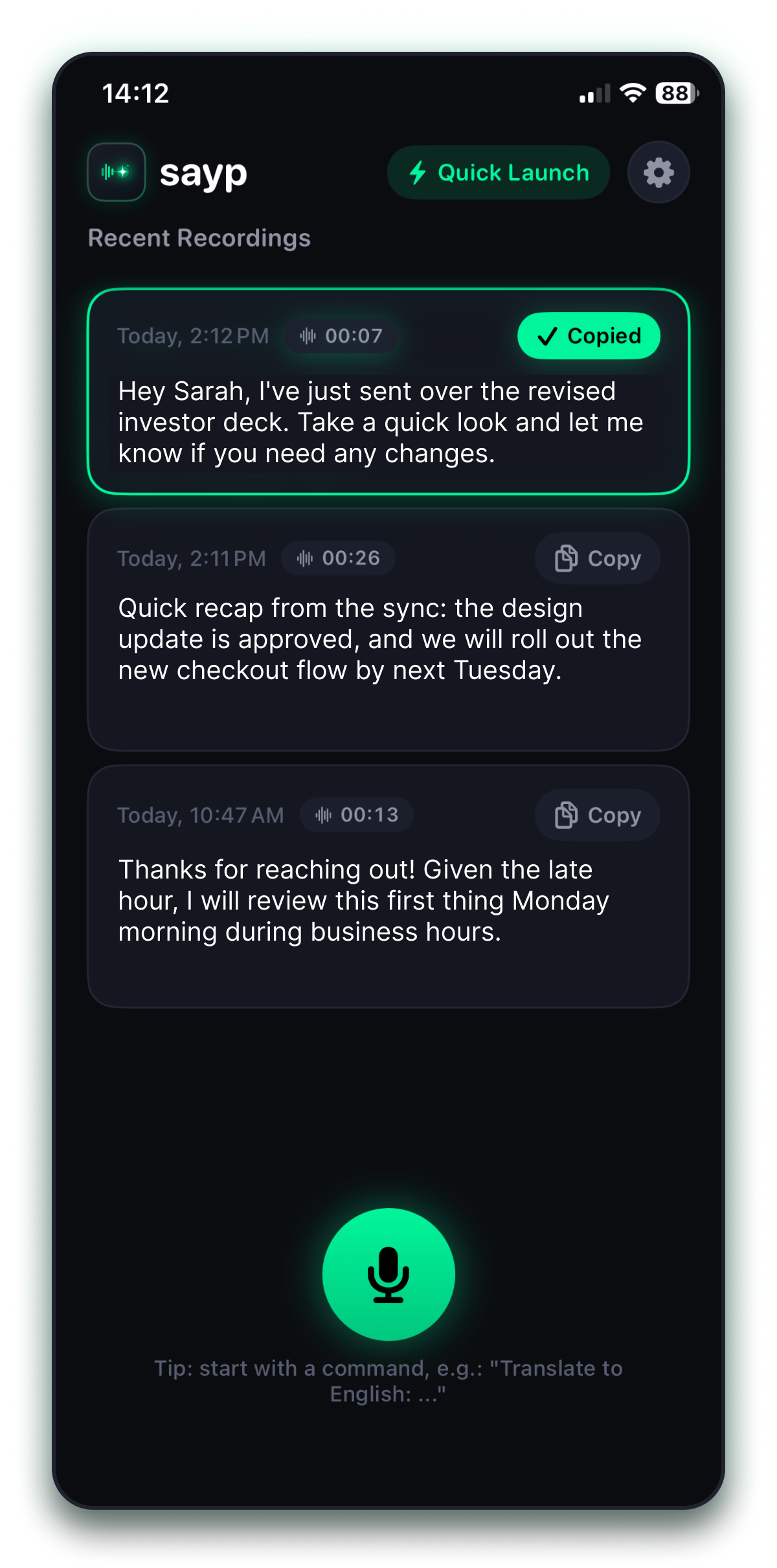
Engineered exclusively for modern iPhone hardware
Sayp takes full advantage of modern iOS capabilities, giving you seamless control from hardware buttons and system widgets.
Action Button Ready
Assign Sayp to the Action Button on iPhone 15 Pro, iPhone 16 and later. Record instantly with one physical press without looking at the screen.
Control Center Widget
A native Control Center toggle (saypControls). Swipe down the shade from any app or lock screen and tap to speak.
Dynamic Island & Live Activity
Real-time audio level visualizer and session timer appear right in the Dynamic Island and on the Lock Screen with private background stop.
Silence Auto-Stop
Speak your mind and simply stop talking. Sayp intelligently detects when your voice concludes and finalizes the recording completely hands-free.
Your thoughts belong solely to you
We engineered Sayp with a strict zero-knowledge stance. No account creation, no audio tracking, and zero advertising SDKs.
On-Device Speech Engine
Transcription is executed on your device using Apple Neural Engine models whenever available, keeping recognition lightning fast and private.
Zero Audio File Retention
Audio buffers are converted to text and immediately deleted. We never store, archive, or analyze your raw voice on external servers.
Anonymous DeviceCheck Security
Apple App Attest verifies legitimate app sessions via hardware cryptography. You never have to submit an email or create an account.
Local-First App Group Storage
All your notes and presets stay strictly in your local sandboxed App Group container. You can erase everything with one tap.
Speeds up daily communication by 3x
"I respond to 50+ Slack and investor messages every day. Being able to hit the Action Button while walking, ramble my messy thoughts, and have Sayp produce a polished, professional response in 2 seconds is pure magic."
Michael R.
Startup Founder & CEO"The Voice Directives feature changed everything for me. Saying "give me 3 action items" turns a chaotic 2-minute brain dump into structured tasks ready to drop into Notion. I saved hours in the first week alone."
Elena S.
Product Manager"Zero login, on-device transcription with Apple Neural Engine, and no creepy voice telemetry. Exactly what native iOS software should feel like. It is my daily driver on iPhone 16."
David K.
Senior Software EngineerFrequently Asked Questions
Everything you need to know about Sayp, voice directives, and privacy.
Stop typing with your thumbs. Speak your mind.
Requires iOS 18.0+. No registration required. Zero audio storage. 100% private local storage.
Sayp Privacy Policy
Learn how Sayp handles your data and protects your privacy.