 Scroll Brake
•
Kognitiver App-Blocker für iOS und Chrome
Scroll Brake
•
Kognitiver App-Blocker für iOS und Chrome
Standard-Bildschirmzeitlimits funktionieren nicht. Dieses schon.
Scroll Brake schafft achtsame Hürden, bevor suchterzeugende Apps deinen Fokus stehlen. Durchbrich automatische Gewohnheiten auf iPhone und Chrome ganz ohne Willenskraft.
Warum normale Limits scheitern: der 15-Minuten-Reflex.
Der Button „Limit für 15 Minuten ignorieren“ in iOS ist zum automatischen Reflex geworden. Sie tippen schneller darauf, als Sie merken, dass Sie eine weitere Stunde mit Kurzvideos verschwenden.
verbringt ein durchschnittlicher Nutzer täglich mit endlosem Scrollen
wird jede Woche von Social Media und Feeds gestohlen
wird pro Jahr verschwendet, die für echte Ziele genutzt werden könnte
| Funktion | Standard iOS-Limits | Scroll Brake |
|---|---|---|
| Schutz vor Reflexen | Keine (mit 1 Tippen umgangen) | Mathe-Barriere aktiviert das Gehirn |
| Fokus-Tracking | Passive Statistiken | Verhindert aktives Doomscrolling |
| Benachrichtigungen | Lästige Benachrichtigungen | Völlig lautloser Fokus |
| Datenschutz | Lokale Speicherung | 100% Privatsphäre (Screen Time API) |
Wie durchbricht man die Schleife?
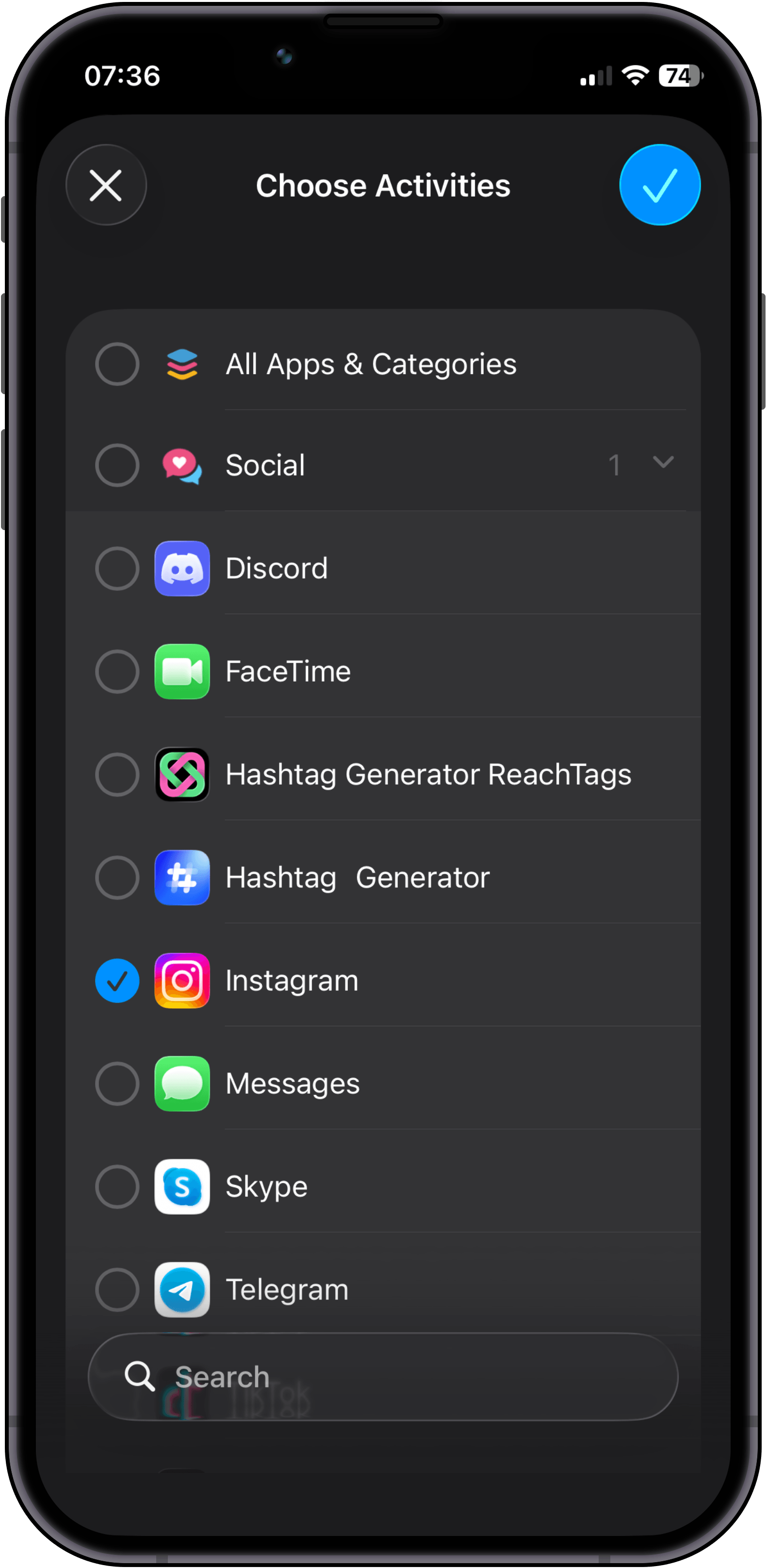
Install Scroll Brake and select specific apps or entire categories that steal your attention most.
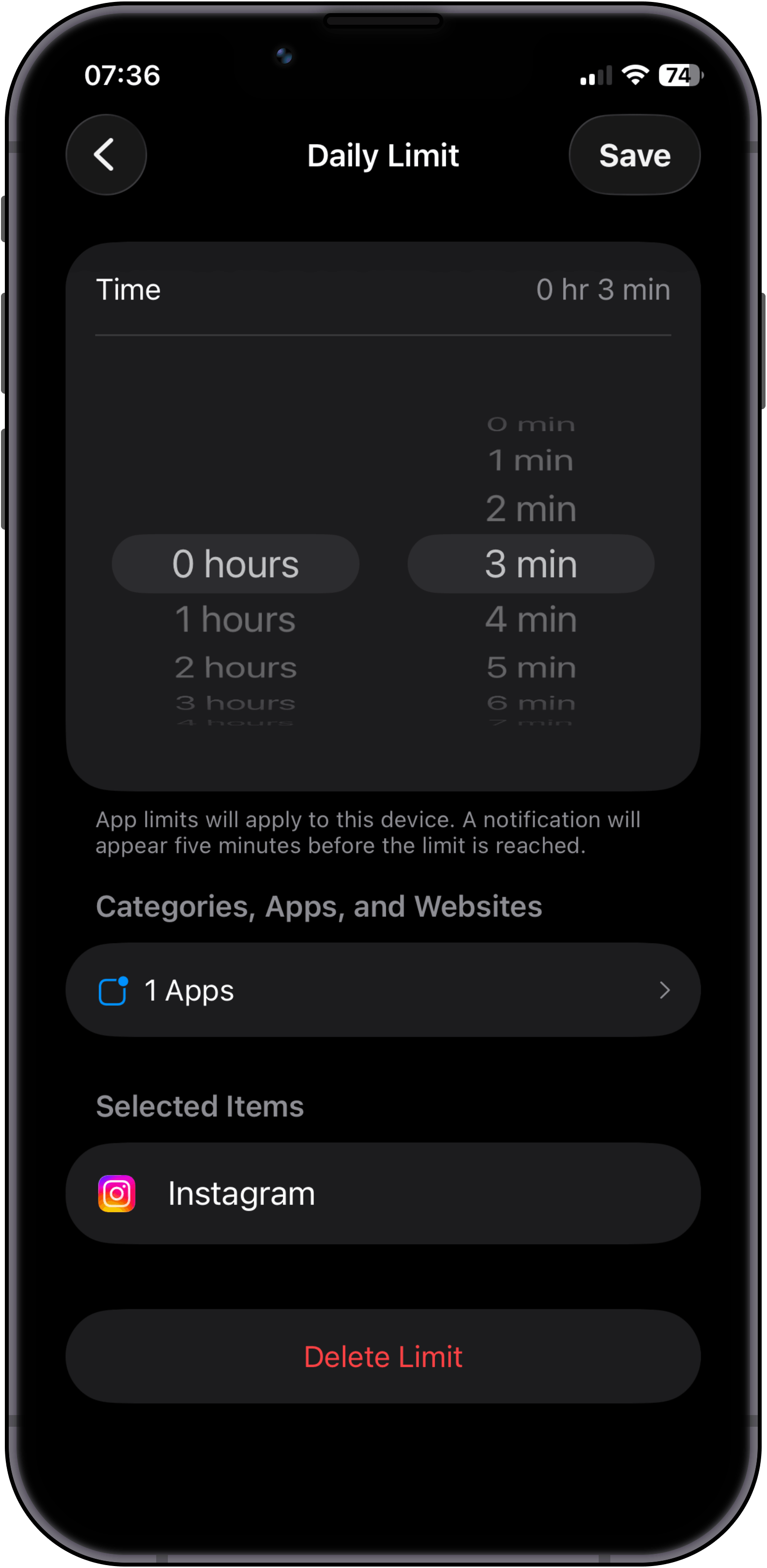
Configure your daily time budget. Tip: if you want a 30-minute daily limit, set 10-minute intervals and enable Strict Mode on the 3rd attempt.
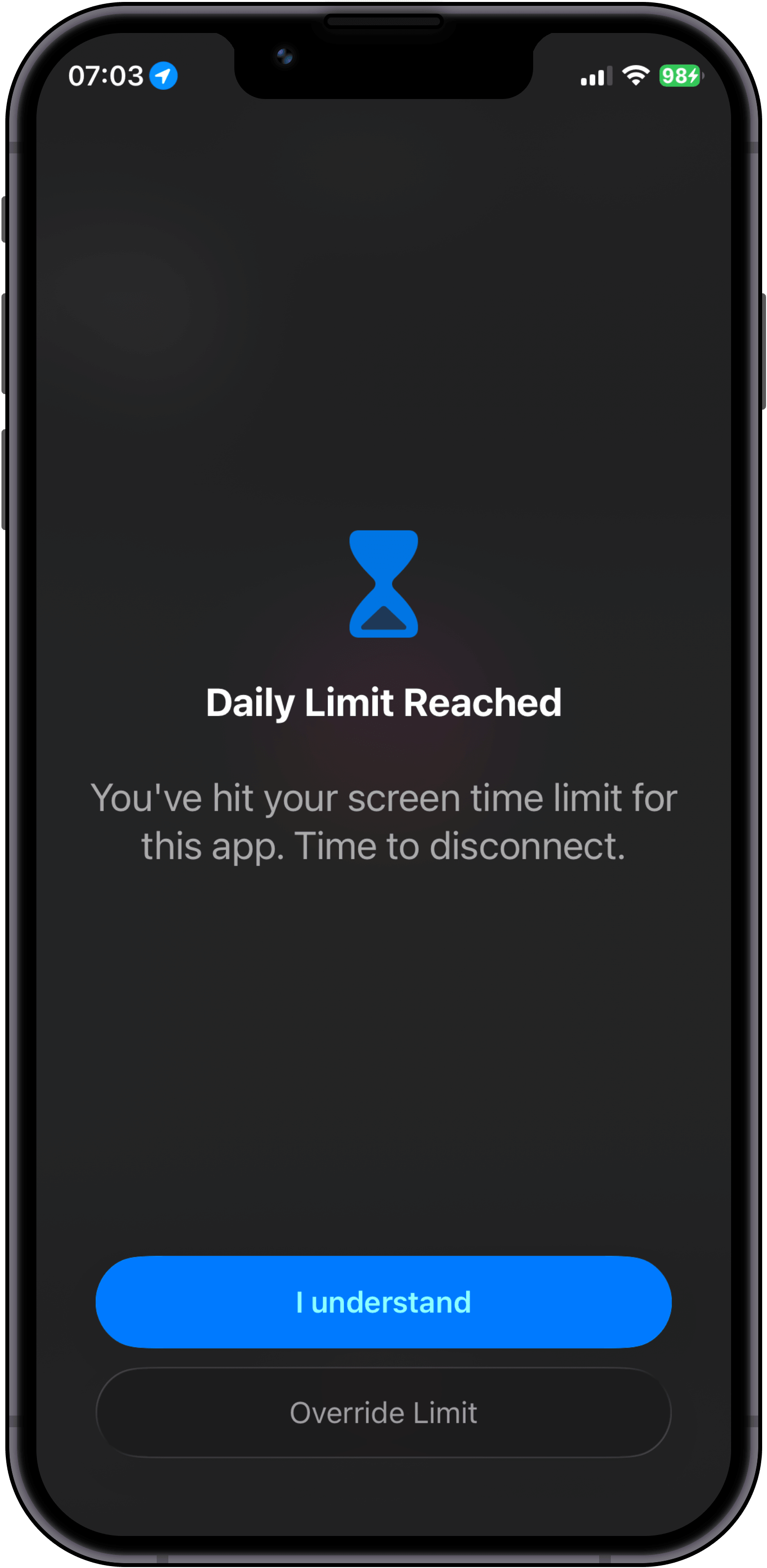
Use your apps as usual until the limit hits. Here you face the first fork: tap "Override limit" to solve a math problem, or tap "I understand" and put your phone down.
If you choose to keep scrolling, you must solve a mental math hurdle. Access stays locked until solved correctly, and switching to the Calculator app instantly reshuffles the problem.
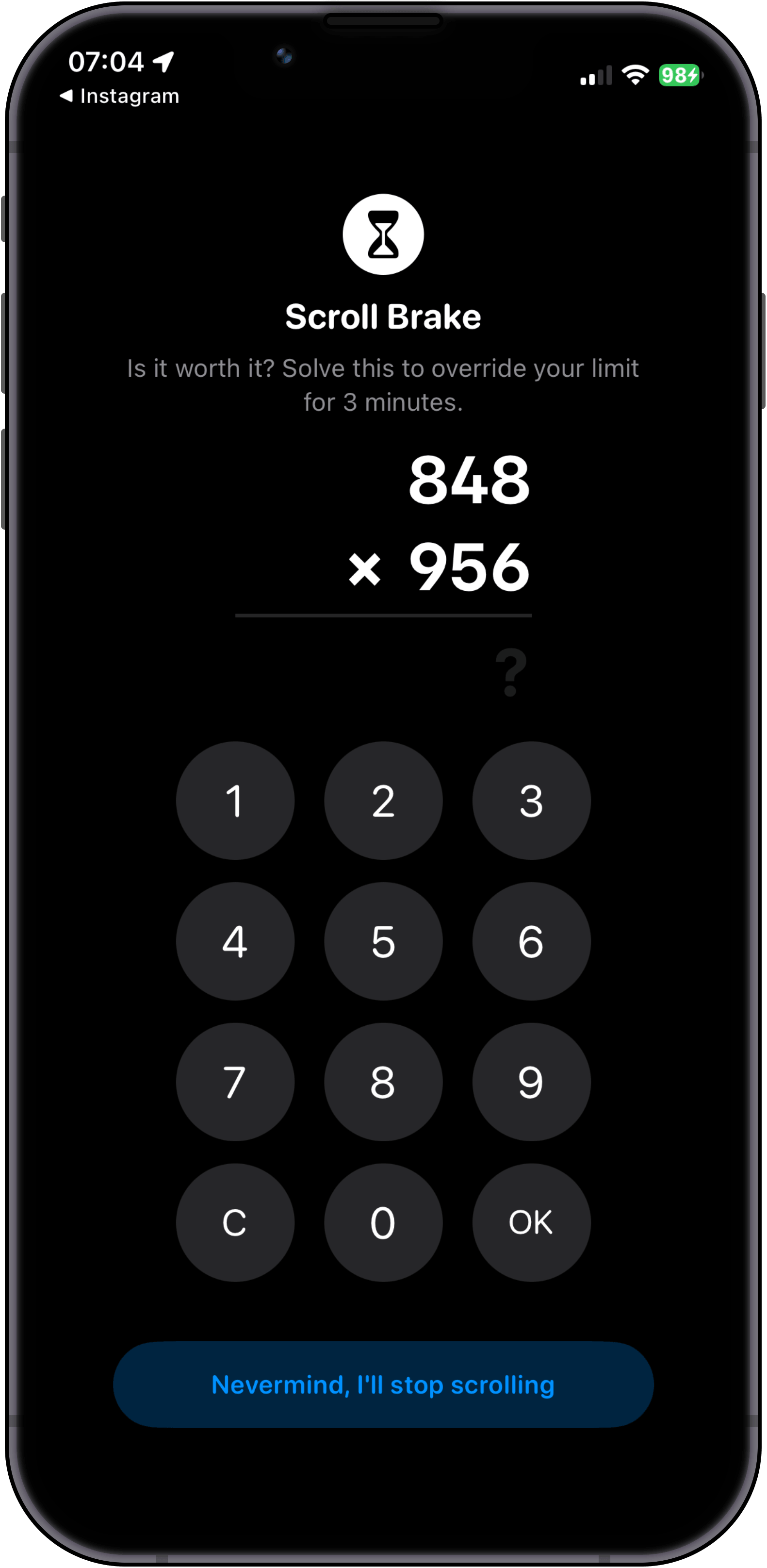
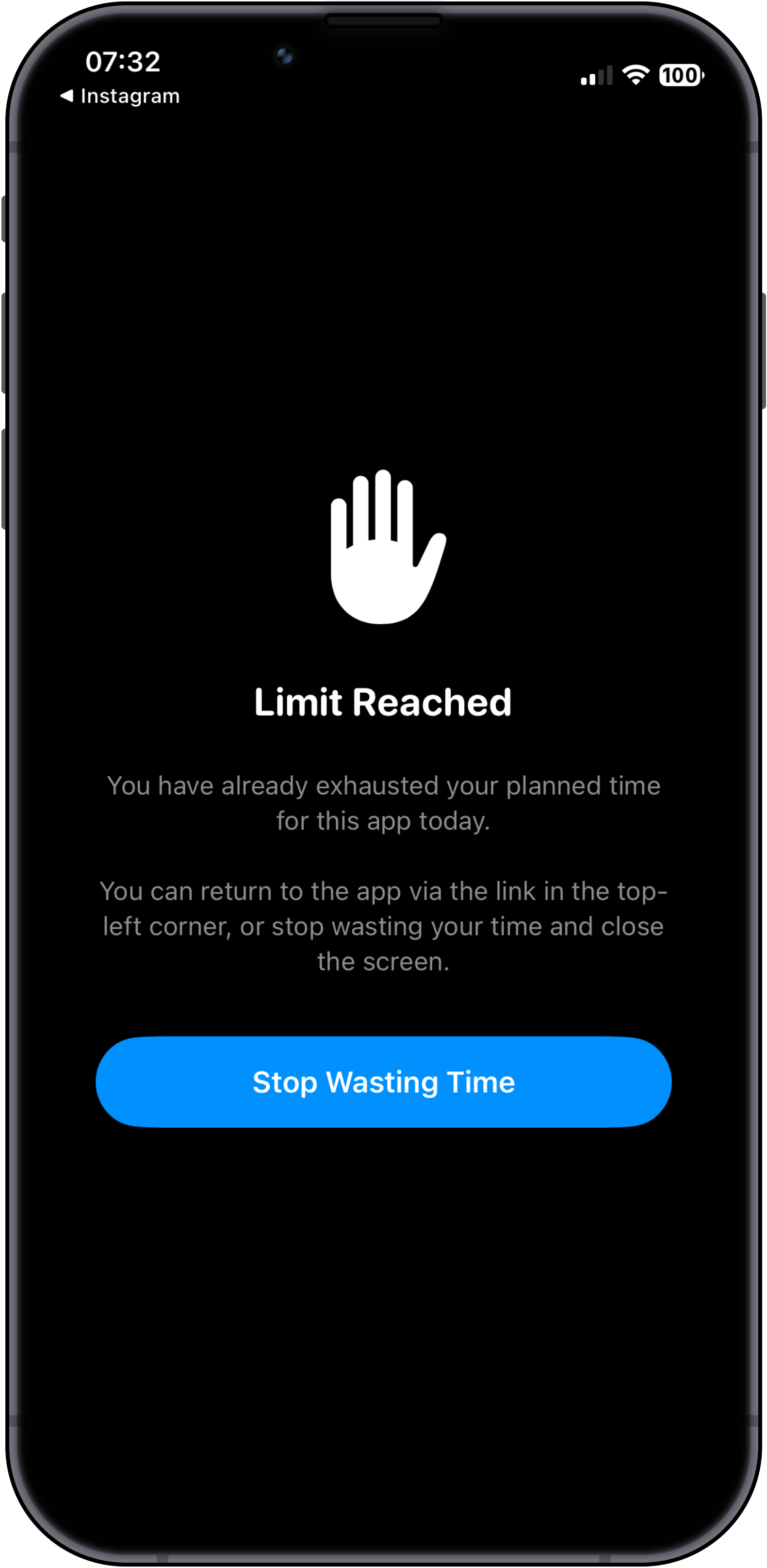
Even after solving correctly, we do not reward scrolling. You get a moment of clarity: return to the app via the top-left link, or tap "Stop Wasting Time" and walk away.
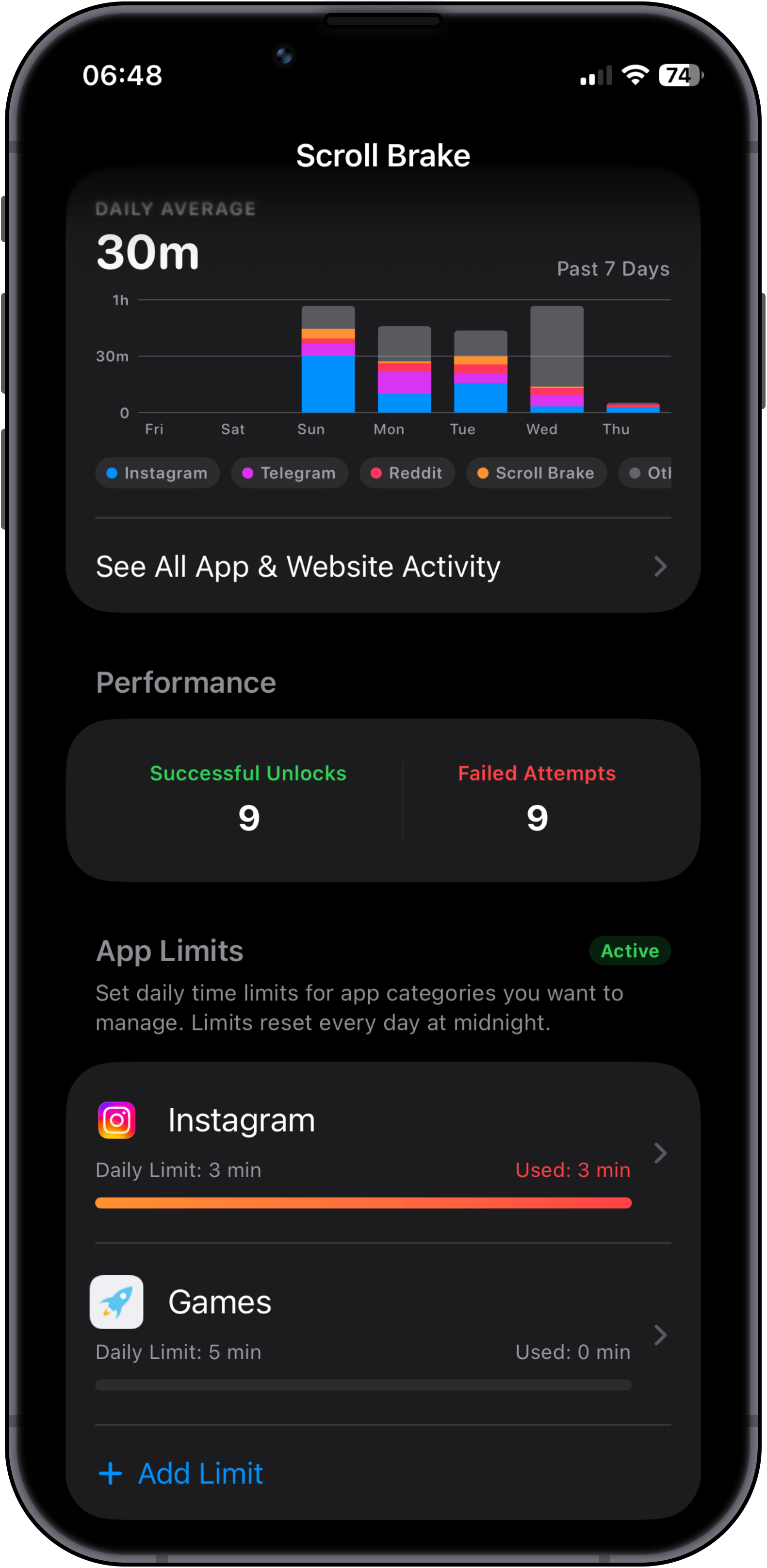
Verfolgen Sie Ihre tatsächliche Bildschirmzeit und wöchentliche Trends. Da Scroll Brake die native iOS-Bildschirmzeitkontrolle abfängt, bleibt dieser detaillierte Verlauf exklusiv und privat in unserer App.
Choose apps & categories
Install Scroll Brake and select specific apps or entire categories that steal your attention most.
Set limits & intervals
Configure your daily time budget. Tip: if you want a 30-minute daily limit, set 10-minute intervals and enable Strict Mode on the 3rd attempt.
Hit limit & decide
Use your apps as usual until the limit hits. Here you face the first fork: tap "Override limit" to solve a math problem, or tap "I understand" and put your phone down.
Solve math (no cheats)
If you choose to keep scrolling, you must solve a mental math hurdle. Access stays locked until solved correctly, and switching to the Calculator app instantly reshuffles the problem.
Mindfulness over dopamine
Even after solving correctly, we do not reward scrolling. You get a moment of clarity: return to the app via the top-left link, or tap "Stop Wasting Time" and walk away.
Private stats & progress
Verfolgen Sie Ihre tatsächliche Bildschirmzeit und wöchentliche Trends. Da Scroll Brake die native iOS-Bildschirmzeitkontrolle abfängt, bleibt dieser detaillierte Verlauf exklusiv und privat in unserer App.
The more often you get distracted, the harder it is to unlock.
The standard "Ignore limit for 15 minutes" button fails because your finger taps it on reflex. Scroll Brake breaks the autopilot: to unlock an app, you solve a quick math problem in your head. And if you keep opening it again and again during the day, the problems get tougher — until it's simply easier to put the phone down and get back to life.
Protection that grows throughout the day
A gentle wake-up first, then a reason to reflect, and on the third time — the phone goes back on the desk.
Gentle warm-up
A quick problem from the multiplication table. Just enough to snap you out of the trance and ask yourself: "Do I really need to scroll right now or am I just doing it out of habit?"
Time to think
Reaching for social media again? Now you need to add two-digit numbers. While you calculate in your head, your brain wakes up and the compulsive urge to scroll fades away.
“Nah, I'd rather go work”
When your brain realizes it has to do serious mental arithmetic just for another 15 minutes of feed, it gives up: "Not worth the effort, I'd rather do something useful." Loop broken.
Difficulty levels for everyone
Whether you dislike math or want an unbreakable barrier, pick whatever level feels right for you:
Junior
Level 1For anyone who dislikes math. Simple numbers up to 20 — just to look away from the screen.
Example challenges at this level
Student
Level 2 Default levelThe sweet spot for most: basic multiplication table that wakes up your mind in seconds.
Example challenges at this level
High Schooler
Level 3Two-digit mental math. A noticeable hurdle, but still comfortable to calculate.
Example challenges at this level
College Student
Level 4Requires real focus. Completely stops autopilot with numbers that carry over.
Example challenges at this level
Scholar
Level 5Serious mental arithmetic. Impossible to solve without putting all distractions aside.
Example challenges at this level
Professor
Level 6A hefty mental workout. After solving one of these, you won't feel like scrolling anymore.
Example challenges at this level
Grandmaster
Level 7The iron wall. You will almost certainly put your phone down and go back to what matters.
Example challenges at this level
3 warm-up questions to find your pace
No complicated setup. When you first open the app, 3 quick questions help pick your comfortable starting level. No grades or pressure — just finding what feels right for you.
Adapts to how you feel
Scroll Brake notices how easily you solve each challenge. If you breeze through, it keeps you on your toes. If you're tired in the evening or make a mistake, it softens up automatically.
Stoppen Sie gedankenloses Tab-Wechseln. Jetzt in Ihrem Browser.
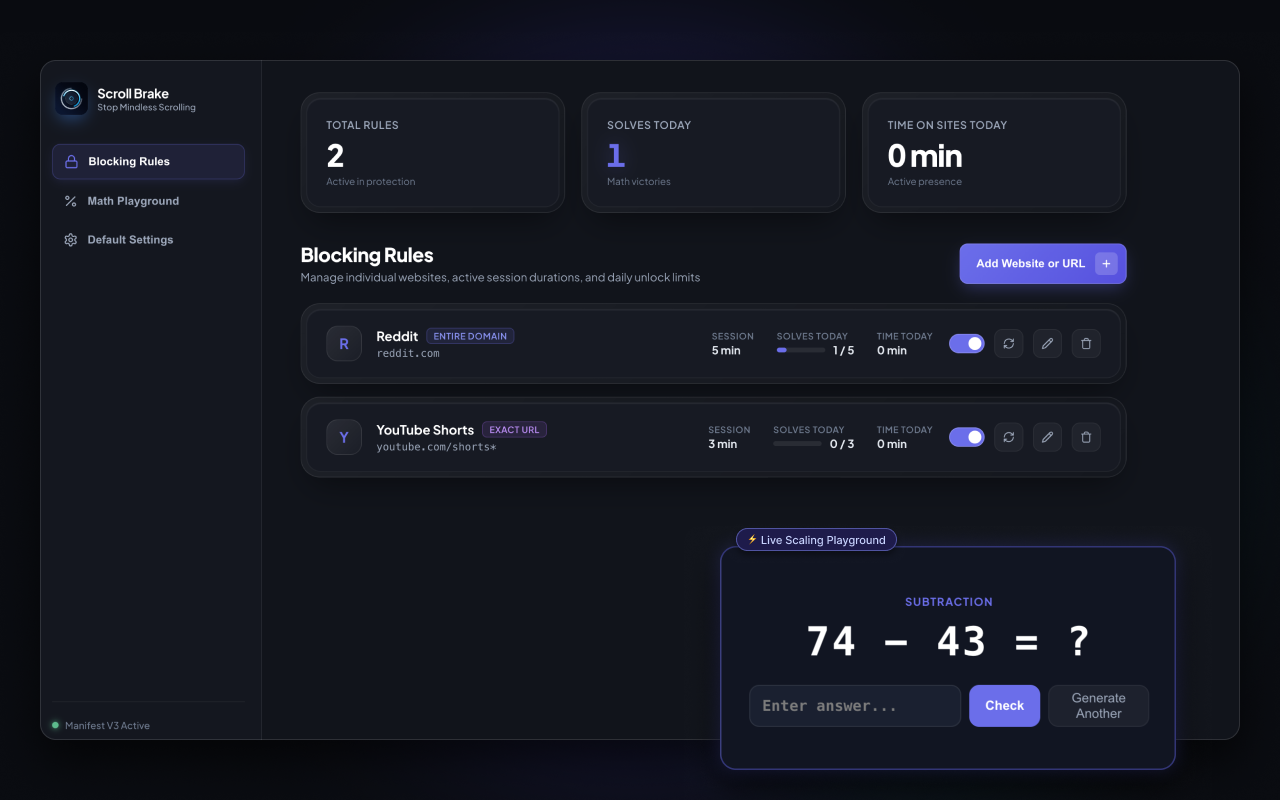
Genug davon, bei der Arbeit auf Autopilot Twitter, Reddit oder YouTube Shorts zu öffnen? Scroll Brake bringt kognitive Reibung auf den Desktop. Lösen Sie Kopfrechnen, um ablenkende Seiten freizuschalten, tracken Sie echte Aktivzeit und gewinnen Sie tiefen Fokus zurück.
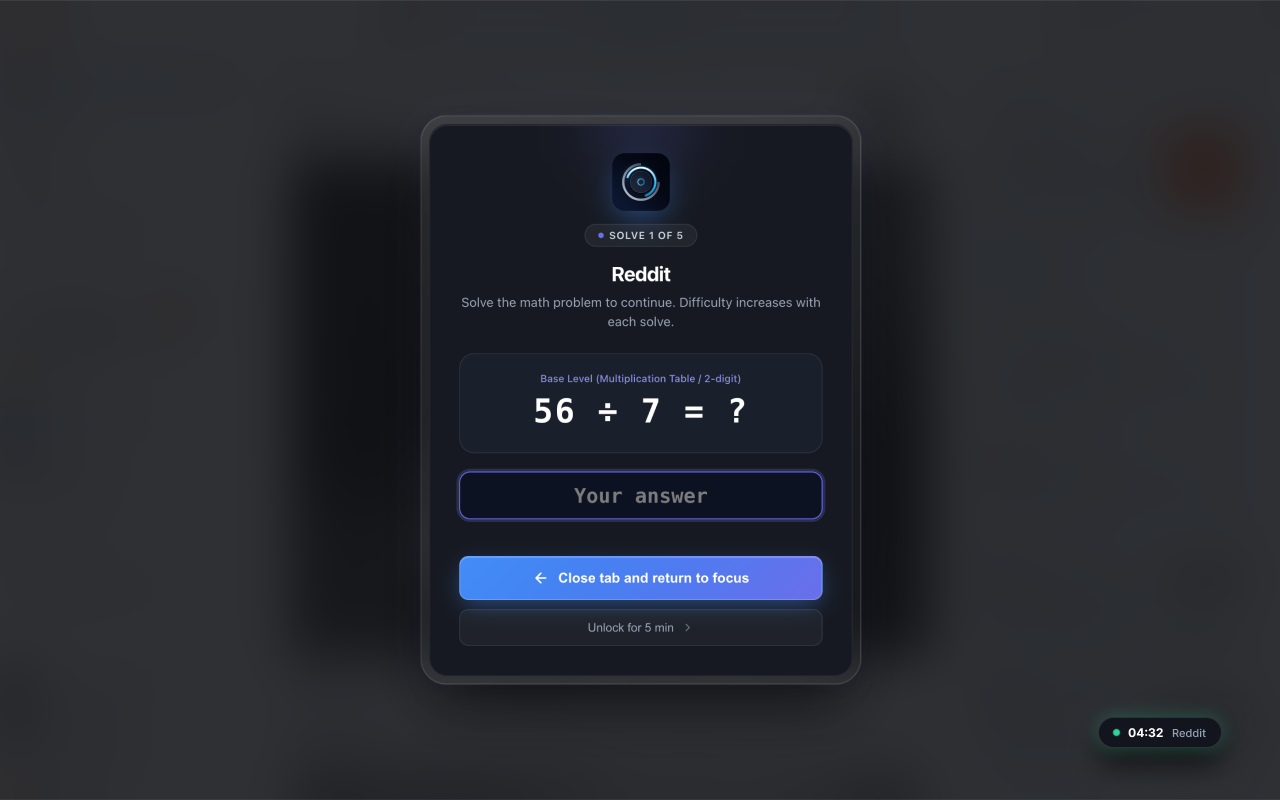
Math barrier before opening sites
Solve a quick mental math problem to earn access. Every repeat unlock gets slightly tougher, snapping you out of autopilot before mindless browsing begins.
Echtes Aktivzeit-Tracking
Der Timer läuft nur ab, wenn Sie die Maus aktiv bewegen, tippen oder scrollen. Verlassen Sie den Tab oder minimieren Sie den Browser, pausiert der Countdown sofort.
Chirurgische URL- & Shorts-Blockierung
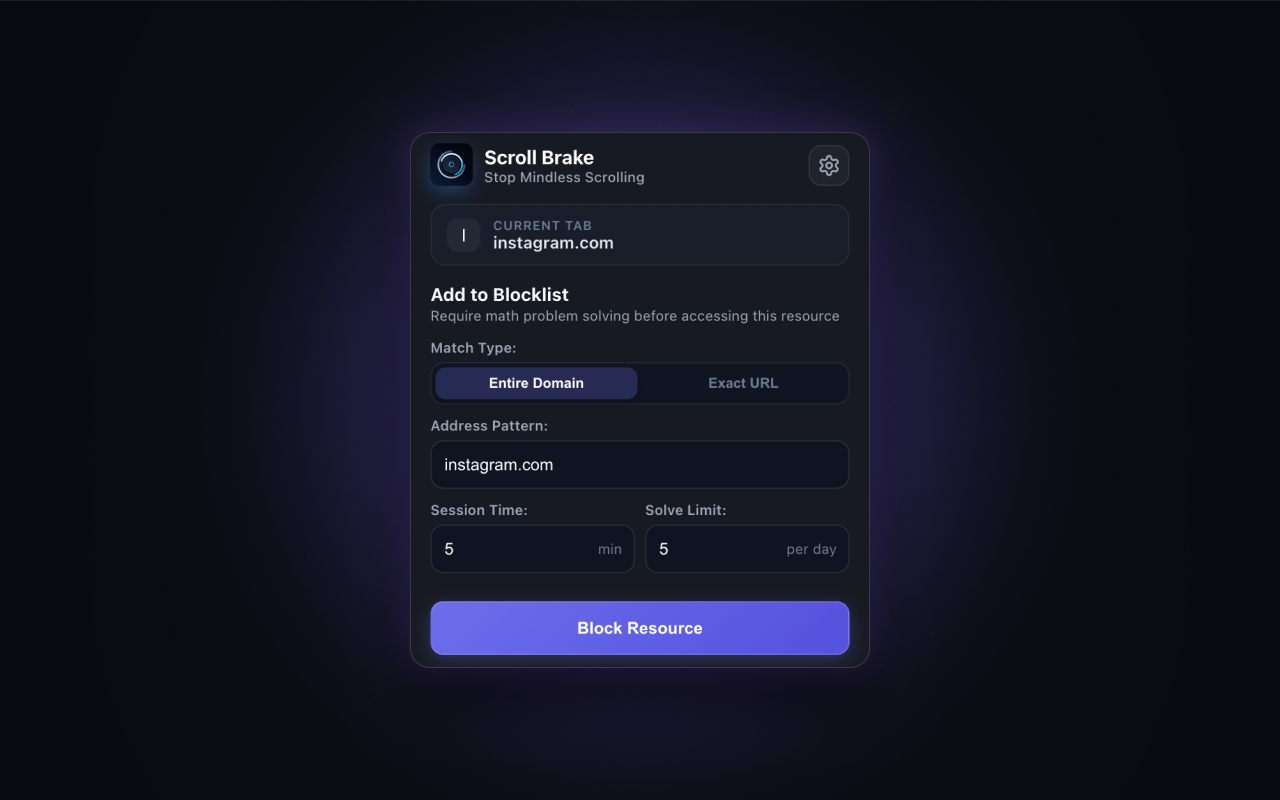
Blockieren Sie ganze Domains oder gezielt süchtig machende Feeds wie youtube.com/shorts*, während Dokumentationen, Tutorials und Arbeitsartikel zugänglich bleiben.
No Account Required
No accounts, emails, or cloud sync. All rules and counters stay 100% locally in chrome.storage.
Kein Ballast
Reines Vanilla-JavaScript ohne schwere Frameworks. Verbraucht nahezu keine CPU- und Speicherressourcen.
Tägliche Lösungs-Quoten
Setzen Sie feste Limits wie maximal 5 Freischaltungen pro Tag. Einmal erreicht, bleibt der Zugriff bis Mitternacht gesperrt.
Multi-Browser
Volle Unterstützung für Google Chrome, Brave, Microsoft Edge, Opera und Vivaldi.
Bereit, die Kontrolle über Ihren Browser zurückzugewinnen?
Install the official extension from the Chrome Web Store in one click. No registration, no ads, no subscriptions.
Proven to break the scrolling loop
"The only app that actually forced me to put my phone down and go to sleep instead of scrolling until 2 AM."
Alex
Verified App Store User"I used to switch to Twitter and Reddit tabs every 5 minutes while coding without even realizing it. The mental arithmetic completely snapped me out of autopilot."
Dmitry K.
Software Engineer"Default iOS limits are useless because you click Ignore in 0.5s. Scroll Brake gives that essential 10-second friction to ask myself: do I really want this?"
Sarah M.
Medical StudentFrequently Asked Questions
Everything you need to know about Scroll Brake, cognitive friction, and privacy.
Verlieren Sie nicht länger über einen Monat Ihres Lebens pro Jahr durch Scrollen.
No registration required. Zero data collection. 100% private local storage.
Datenschutzerklärung für Scroll Brake
Erfahren Sie, wie Scroll Brake Ihre Daten verarbeitet und Ihre Privatsphäre schützt.