 Scroll Brake
•
Bloqueador cognitivo de apps para iOS e Chrome
Scroll Brake
•
Bloqueador cognitivo de apps para iOS e Chrome
Limites padrão de tempo de tela não funcionam. Este funciona.
O Scroll Brake cria uma fricção consciente antes que aplicativos viciantes roubem seu foco. Interrompa o hábito automático no iPhone e Chrome sem precisar de força de vontade.
Por que os limites comuns falham: o reflexo dos 15 minutos.
O botão «Ignorar limite por 15 minutos» no iOS virou um reflexo automático. Seu dedo toca antes de perceber que vai perder mais uma hora em vídeos curtos.
gastas por um usuário médio em rolagem infinita todos os dias
roubadas por redes sociais e feeds a cada semana
desperdiçadas por ano que poderiam ser dedicadas a objetivos reais
| Recurso | Limites padrão do iOS | Scroll Brake |
|---|---|---|
| Proteção contra reflexos | Nenhuma (ignoradas em 1 toque) | A barreira matemática ativa o cérebro |
| Controle de foco | Estatísticas passivas | Previne ativamente o doomscrolling |
| Notificações | Notificações chatas | Foco totalmente silencioso |
| Privacidade | Armazenamento local | 100% Privado (Screen Time API) |
Como quebrar o ciclo?
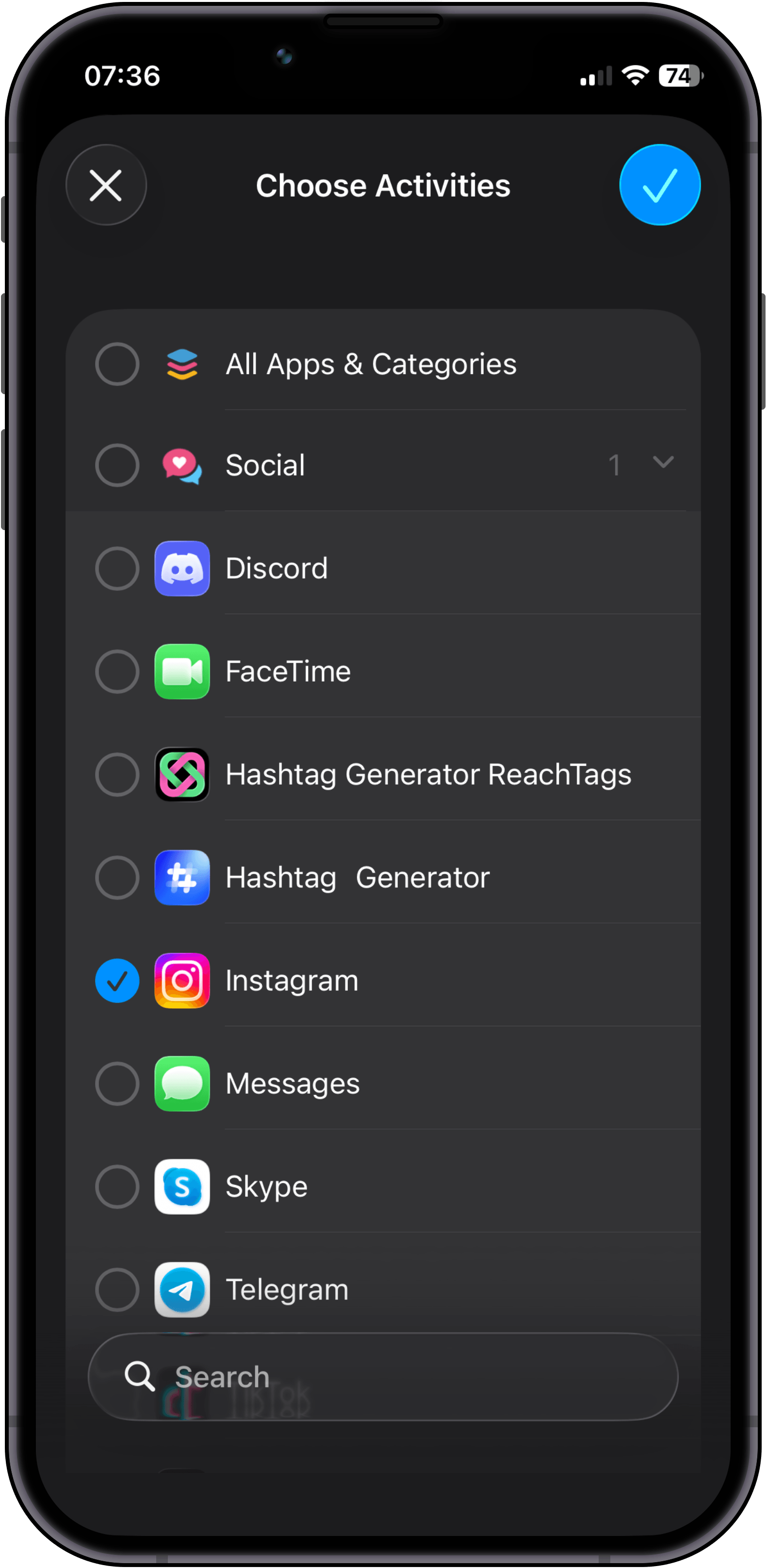
Install Scroll Brake and select specific apps or entire categories that steal your attention most.
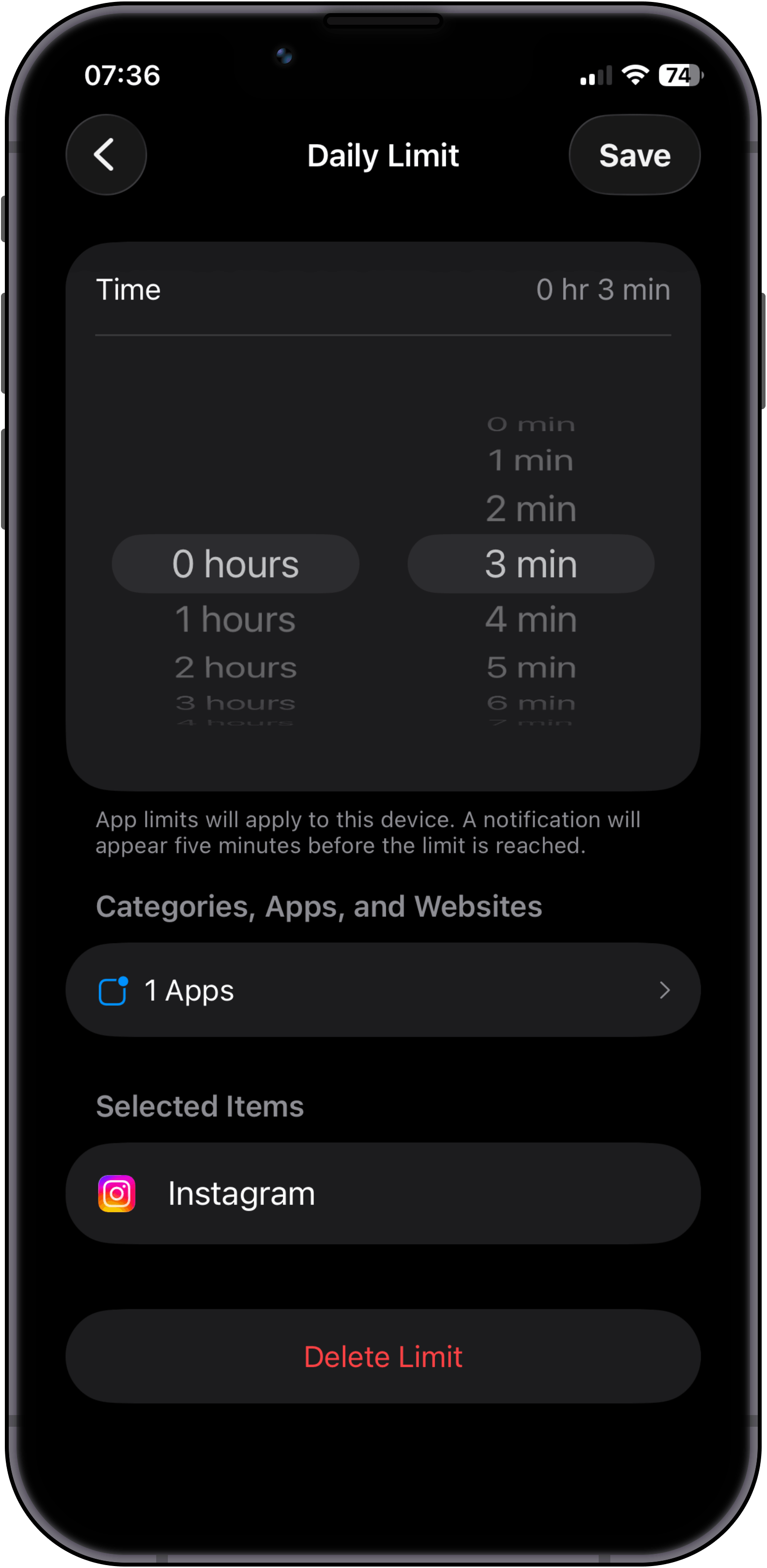
Configure your daily time budget. Tip: if you want a 30-minute daily limit, set 10-minute intervals and enable Strict Mode on the 3rd attempt.
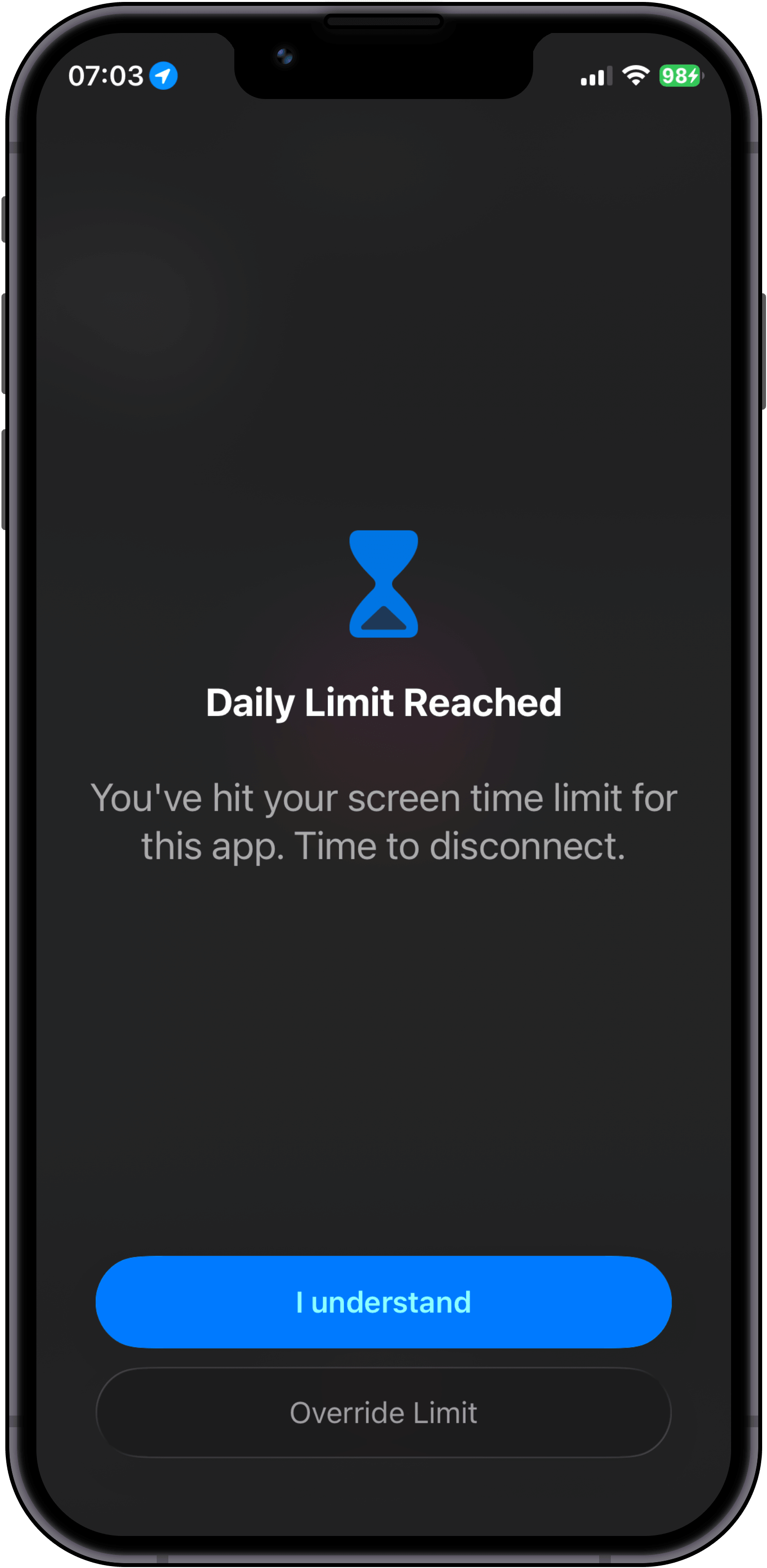
Use your apps as usual until the limit hits. Here you face the first fork: tap "Override limit" to solve a math problem, or tap "I understand" and put your phone down.
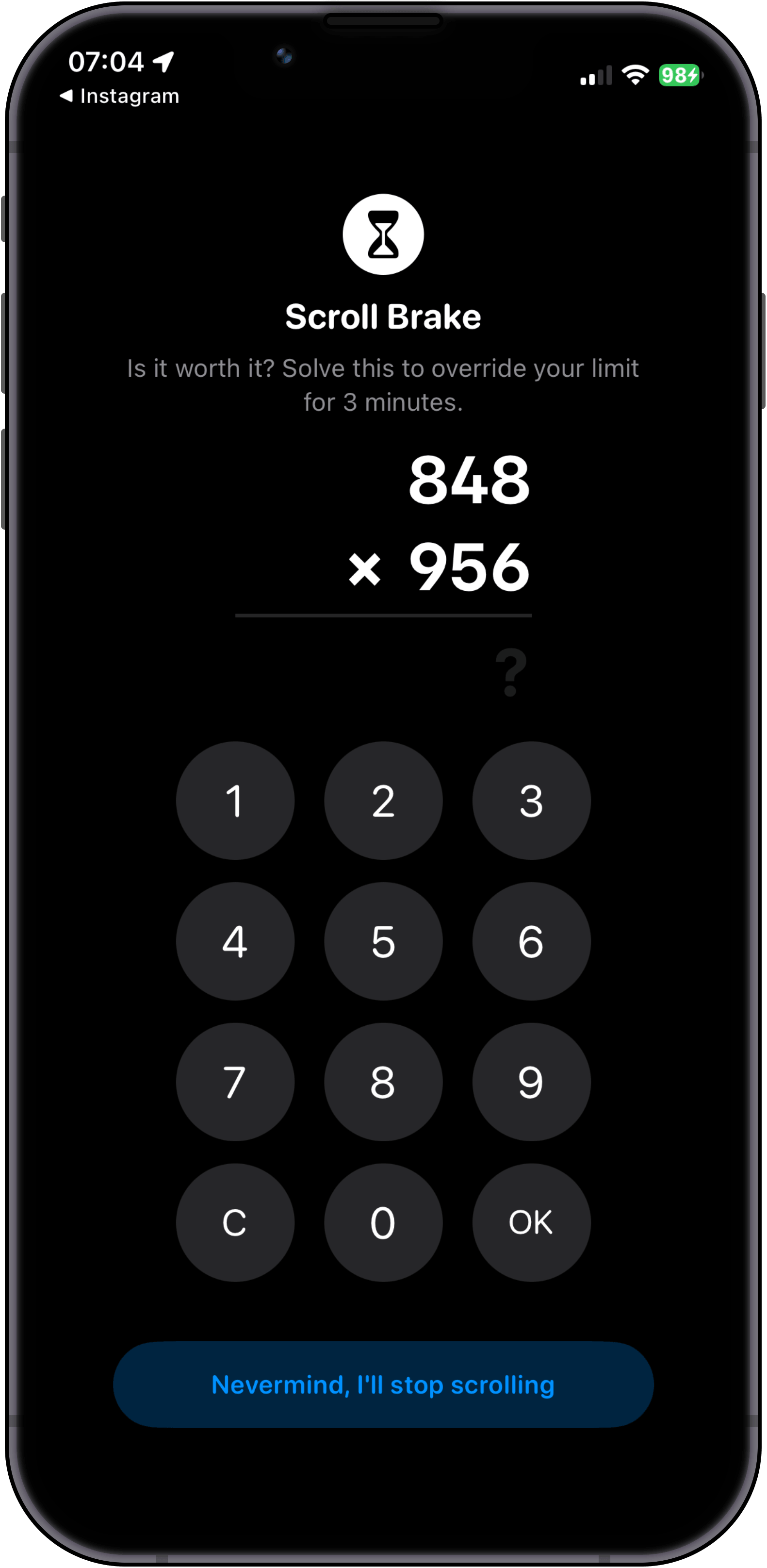
If you choose to keep scrolling, you must solve a mental math hurdle. Access stays locked until solved correctly, and switching to the Calculator app instantly reshuffles the problem.
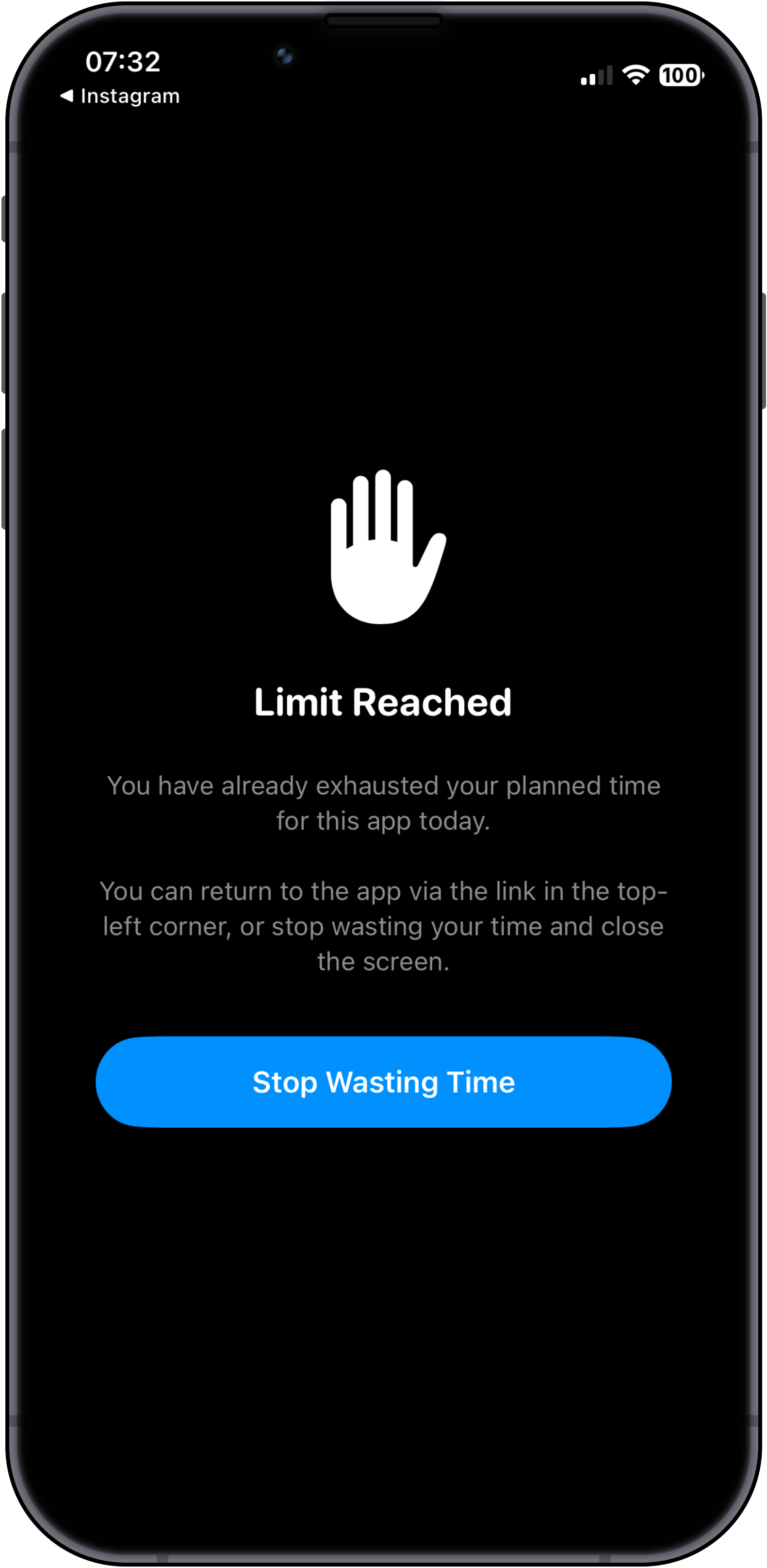
Even after solving correctly, we do not reward scrolling. You get a moment of clarity: return to the app via the top-left link, or tap "Stop Wasting Time" and walk away.
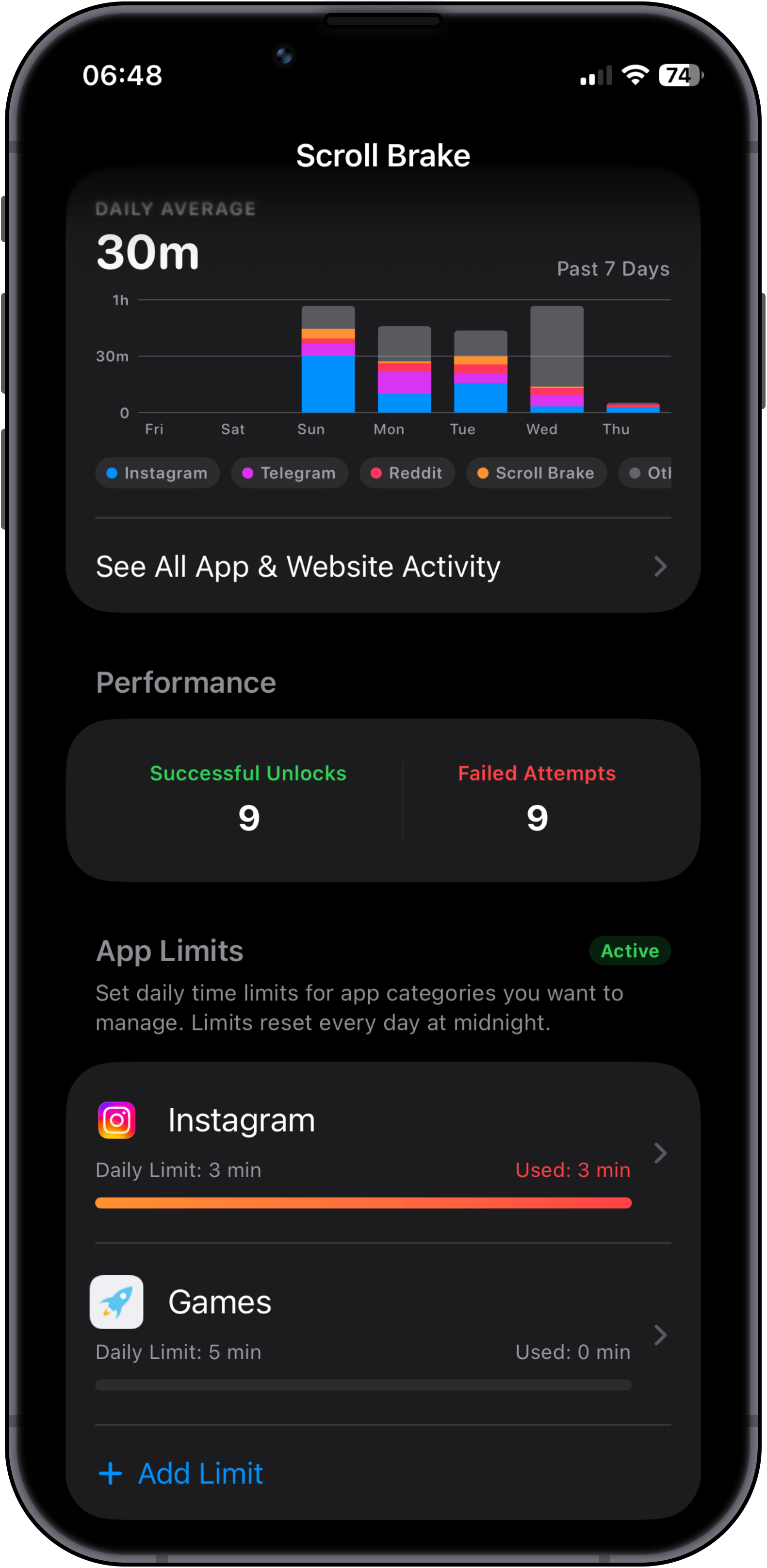
Acompanhe seu tempo de tela real e tendências semanais. Como o Scroll Brake intercepta o controle nativo de tempo de uso do iOS, esse histórico detalhado fica exclusivamente e com privacidade em nosso aplicativo.
Choose apps & categories
Install Scroll Brake and select specific apps or entire categories that steal your attention most.
Set limits & intervals
Configure your daily time budget. Tip: if you want a 30-minute daily limit, set 10-minute intervals and enable Strict Mode on the 3rd attempt.
Hit limit & decide
Use your apps as usual until the limit hits. Here you face the first fork: tap "Override limit" to solve a math problem, or tap "I understand" and put your phone down.
Solve math (no cheats)
If you choose to keep scrolling, you must solve a mental math hurdle. Access stays locked until solved correctly, and switching to the Calculator app instantly reshuffles the problem.
Mindfulness over dopamine
Even after solving correctly, we do not reward scrolling. You get a moment of clarity: return to the app via the top-left link, or tap "Stop Wasting Time" and walk away.
Private stats & progress
Acompanhe seu tempo de tela real e tendências semanais. Como o Scroll Brake intercepta o controle nativo de tempo de uso do iOS, esse histórico detalhado fica exclusivamente e com privacidade em nosso aplicativo.
The more often you get distracted, the harder it is to unlock.
The standard "Ignore limit for 15 minutes" button fails because your finger taps it on reflex. Scroll Brake breaks the autopilot: to unlock an app, you solve a quick math problem in your head. And if you keep opening it again and again during the day, the problems get tougher — until it's simply easier to put the phone down and get back to life.
Protection that grows throughout the day
A gentle wake-up first, then a reason to reflect, and on the third time — the phone goes back on the desk.
Gentle warm-up
A quick problem from the multiplication table. Just enough to snap you out of the trance and ask yourself: "Do I really need to scroll right now or am I just doing it out of habit?"
Time to think
Reaching for social media again? Now you need to add two-digit numbers. While you calculate in your head, your brain wakes up and the compulsive urge to scroll fades away.
“Nah, I'd rather go work”
When your brain realizes it has to do serious mental arithmetic just for another 15 minutes of feed, it gives up: "Not worth the effort, I'd rather do something useful." Loop broken.
Difficulty levels for everyone
Whether you dislike math or want an unbreakable barrier, pick whatever level feels right for you:
Junior
Level 1For anyone who dislikes math. Simple numbers up to 20 — just to look away from the screen.
Example challenges at this level
Student
Level 2 Default levelThe sweet spot for most: basic multiplication table that wakes up your mind in seconds.
Example challenges at this level
High Schooler
Level 3Two-digit mental math. A noticeable hurdle, but still comfortable to calculate.
Example challenges at this level
College Student
Level 4Requires real focus. Completely stops autopilot with numbers that carry over.
Example challenges at this level
Scholar
Level 5Serious mental arithmetic. Impossible to solve without putting all distractions aside.
Example challenges at this level
Professor
Level 6A hefty mental workout. After solving one of these, you won't feel like scrolling anymore.
Example challenges at this level
Grandmaster
Level 7The iron wall. You will almost certainly put your phone down and go back to what matters.
Example challenges at this level
3 warm-up questions to find your pace
No complicated setup. When you first open the app, 3 quick questions help pick your comfortable starting level. No grades or pressure — just finding what feels right for you.
Adapts to how you feel
Scroll Brake notices how easily you solve each challenge. If you breeze through, it keeps you on your toes. If you're tired in the evening or make a mistake, it softens up automatically.
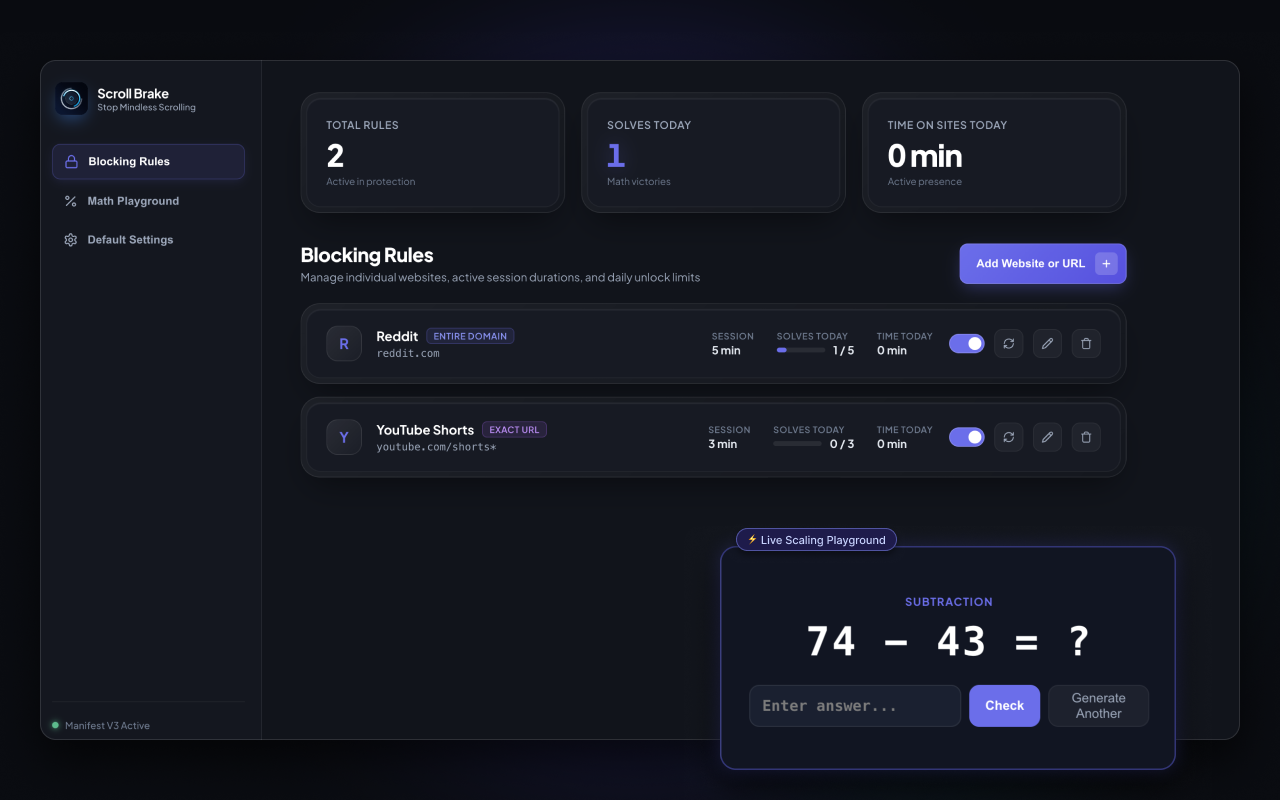
Pare de alternar abas no piloto automático. Agora no seu navegador.
Cansado de abrir Twitter, Reddit ou YouTube Shorts no piloto automático enquanto trabalha? O Scroll Brake traz a fricção cognitiva para o desktop. Resolva cálculos mentais para desbloquear sites distrativos, monitore o tempo ativo real e recupere o foco profundo.
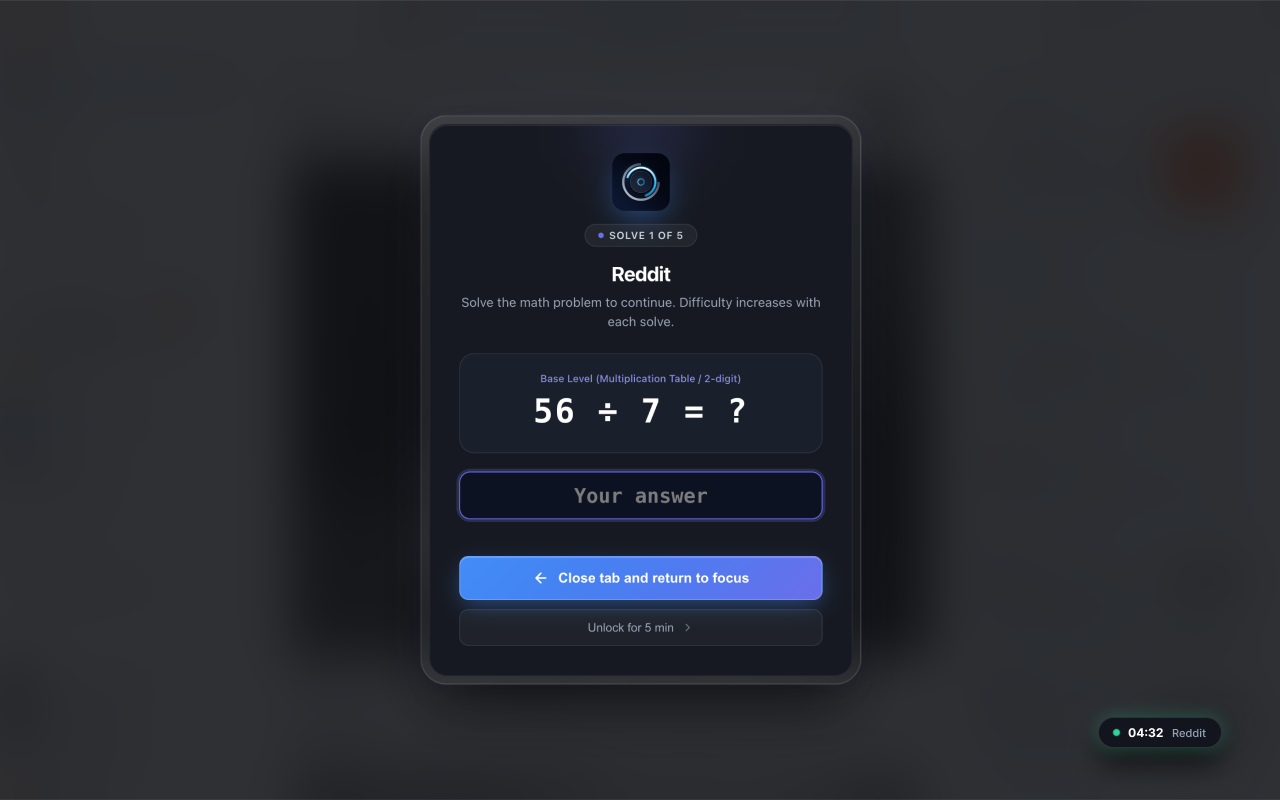
Math barrier before opening sites
Solve a quick mental math problem to earn access. Every repeat unlock gets slightly tougher, snapping you out of autopilot before mindless browsing begins.
Monitoramento de tempo ativo real
O cronômetro só avança quando você mexe o mouse, digita ou rola a página ativamente. Mude de aba ou minimize o navegador e a contagem regressiva pausa imediatamente.
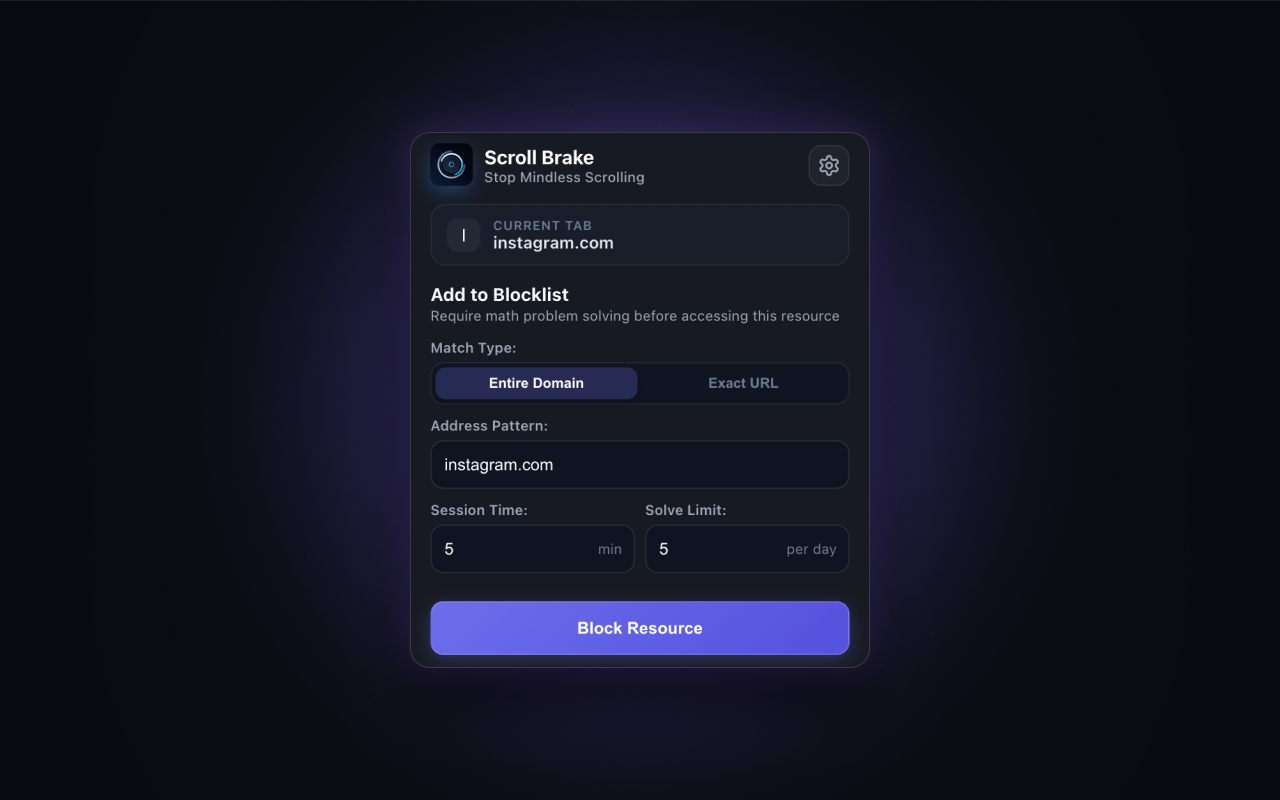
Bloqueio cirúrgico de URLs e Shorts
Bloqueie domínios inteiros ou filtre cirurgicamente feeds viciantes como youtube.com/shorts*, mantendo acessíveis tutoriais, documentações e artigos de trabalho.
No Account Required
No accounts, emails, or cloud sync. All rules and counters stay 100% locally in chrome.storage.
Sem lentidão
JavaScript puro sem frameworks pesados. Consumo quase nulo de CPU e memória.
Cotas diárias de desbloqueio
Defina limites rígidos, como no máximo 5 desbloqueios por dia. Atingido o limite, o acesso fica bloqueado até a meia-noite.
Multi-navegador
Compatibilidade total com Google Chrome, Brave, Microsoft Edge, Opera e Vivaldi.
Pronto para retomar o controle do seu navegador?
Install the official extension from the Chrome Web Store in one click. No registration, no ads, no subscriptions.
Proven to break the scrolling loop
"The only app that actually forced me to put my phone down and go to sleep instead of scrolling until 2 AM."
Alex
Verified App Store User"I used to switch to Twitter and Reddit tabs every 5 minutes while coding without even realizing it. The mental arithmetic completely snapped me out of autopilot."
Dmitry K.
Software Engineer"Default iOS limits are useless because you click Ignore in 0.5s. Scroll Brake gives that essential 10-second friction to ask myself: do I really want this?"
Sarah M.
Medical StudentFrequently Asked Questions
Everything you need to know about Scroll Brake, cognitive friction, and privacy.
Pare de perder mais de um mês da sua vida todos os anos rolando o feed.
No registration required. Zero data collection. 100% private local storage.
Política de privacidade do Scroll Brake
Saiba como o Scroll Brake trata os seus dados e protege a sua privacidade.